
2.1 KiB
alpine_nodejs
GitHub Actions Runner download alpine node.js from https://vstsagenttools.blob.core.windows.net/tools/nodejs
The workflow in this repository can compile a partial-static node.js for alpine and create a GitHub release for it.
-
Queue workflow using
workflow_dispatchtrigger and set thenodeversion you want to compile as input, ex:v12.22.7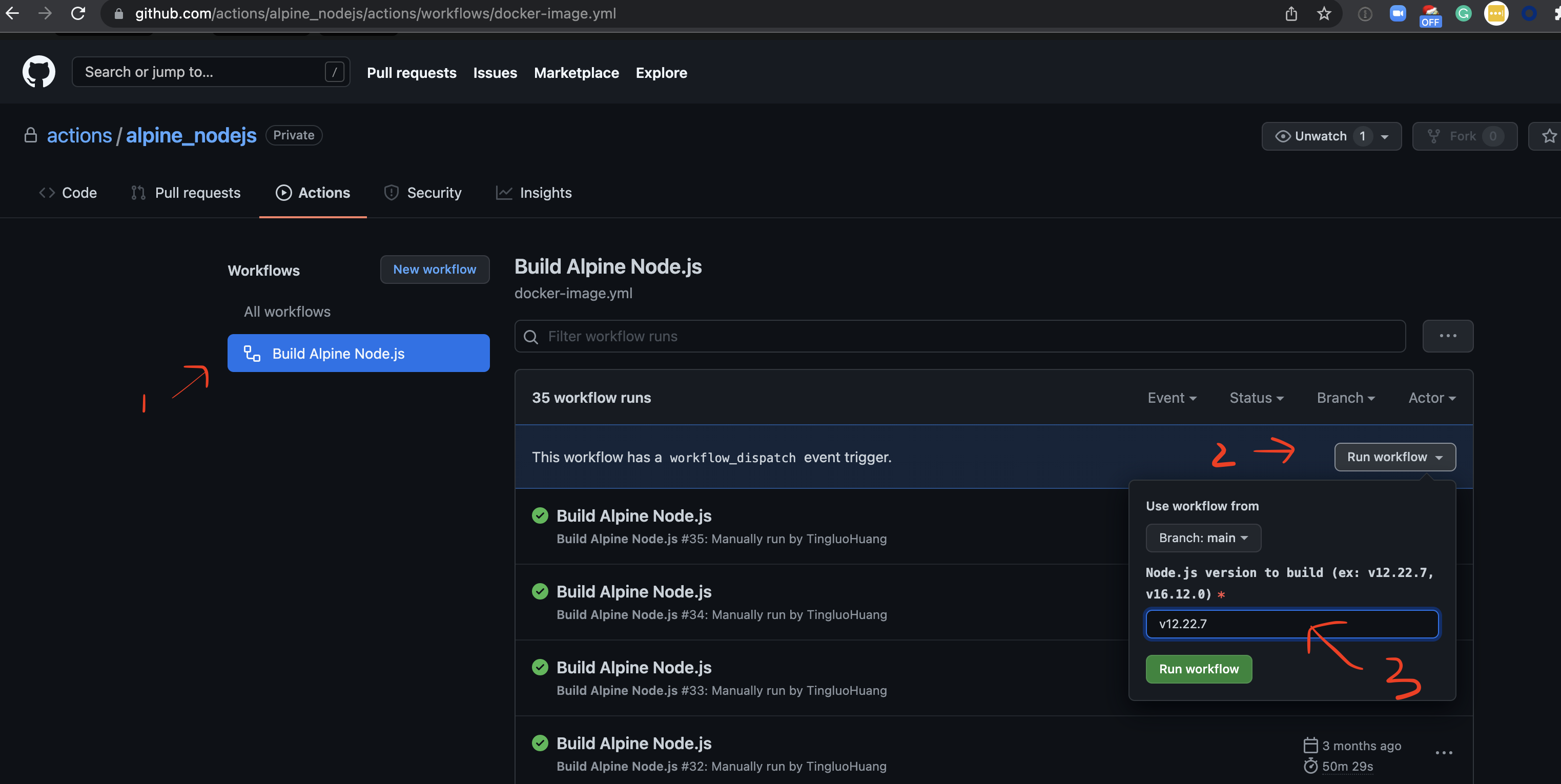
-
Wait for the run to complete
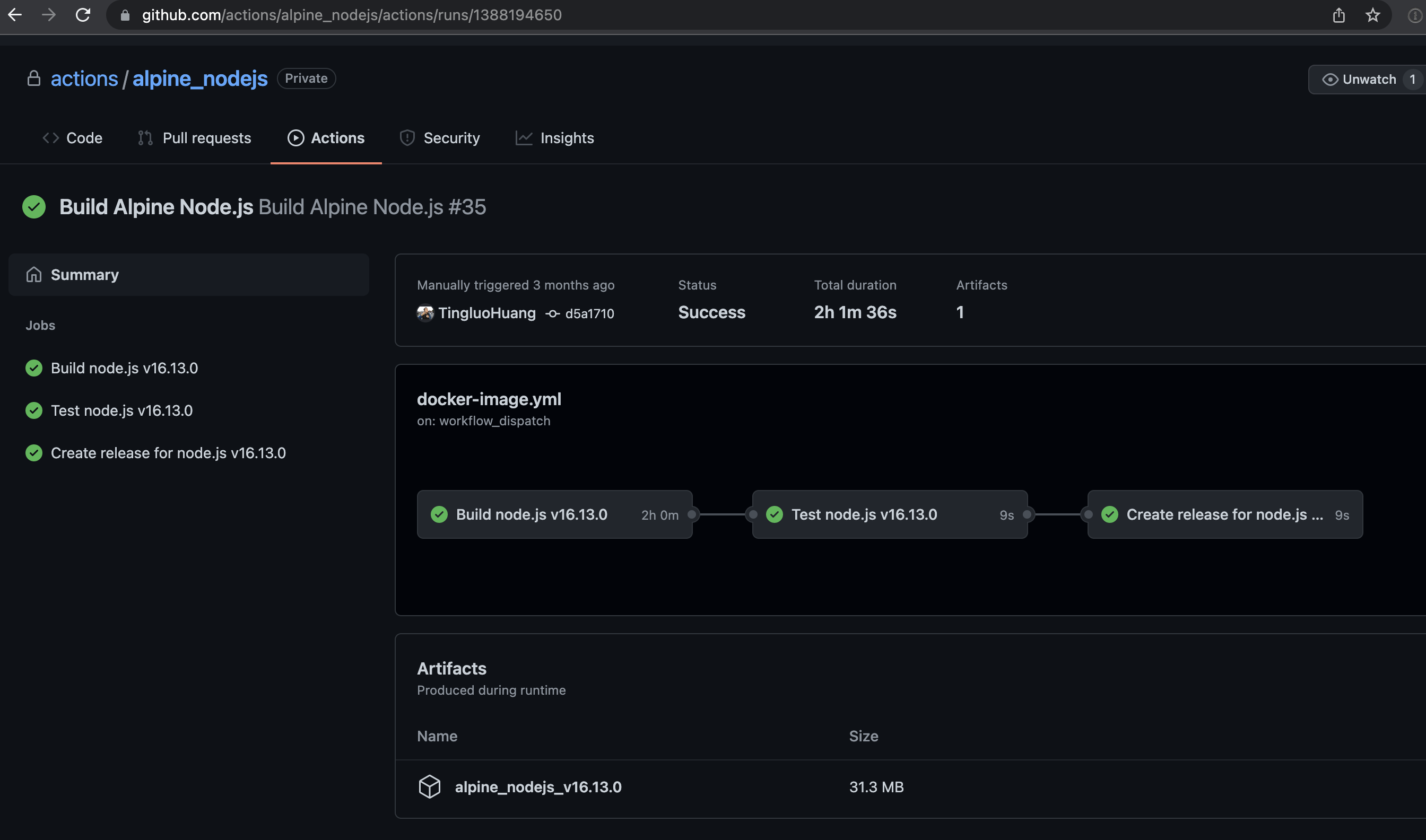
-
There should be a newly created release that matches the version you want for
node, and it is able to run on alpine.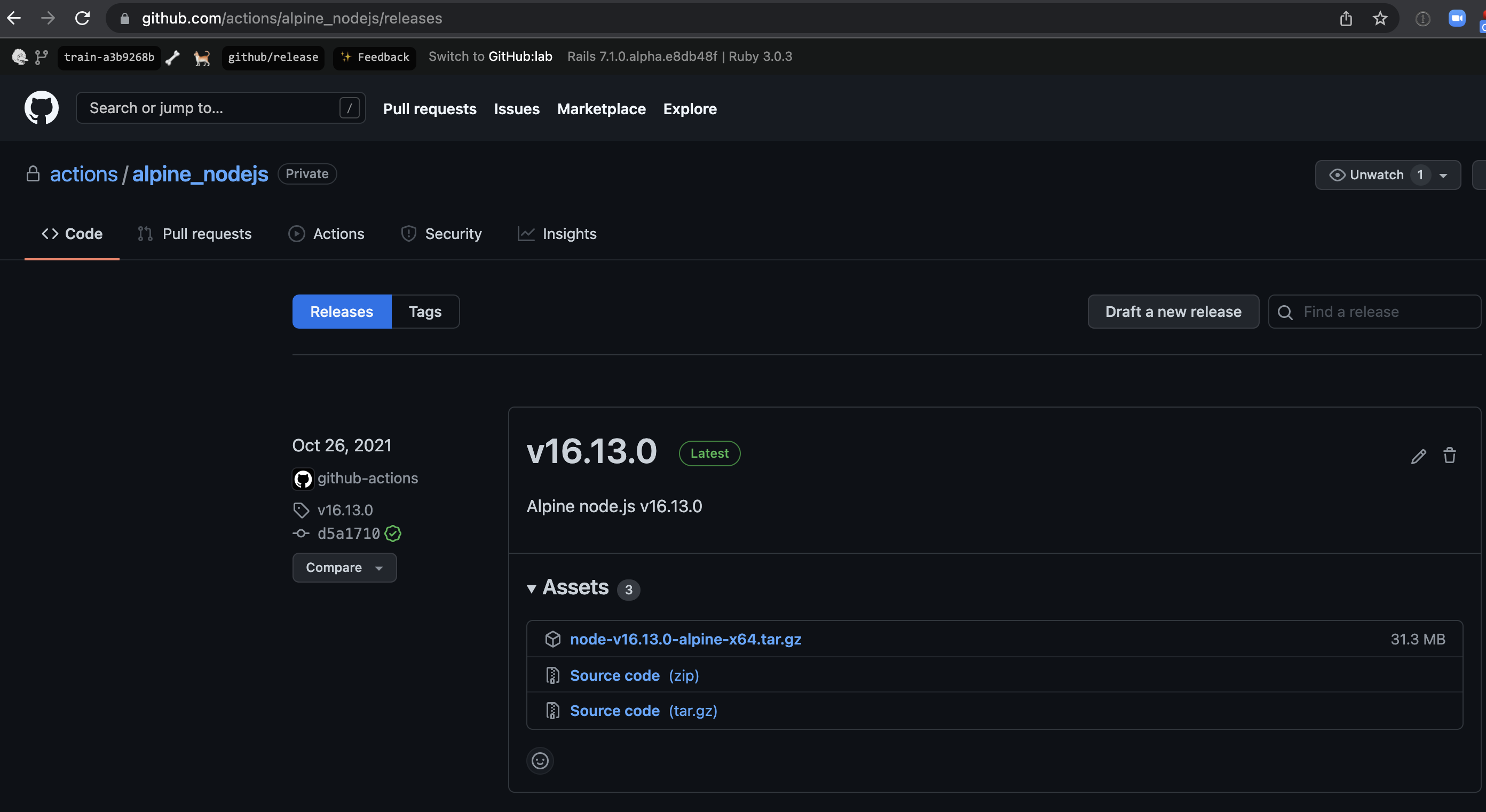
-
Once we get approval to change the current repository from
privatetopublic, then we can consume the release assets directly. In the meantime, you will need to follow instructions to check-in the compiled alpine node.js from the release assets as aGit-LFSfiles to https://dev.azure.com/mseng/AzureDevOps/_git/CIPlat.Externals and get it mirror into https://vstsagenttools.blob.core.windows.net/tools/nodejs


Tips for working with
CIPlat.Externalsrepository:
- The repository is huge right now, you don't want to waste your time and disk space to get those unrelated files.
- Ignore LFS files during initial
git clonethe repo withGIT_LFS_SKIP_SMUDGE=1 git clone https://mseng@dev.azure.com/mseng/AzureDevOps/_git/CIPlat.Externals- Ignore LFS files during any
git checkoutorgit fetchoperation withGIT_LFS_SKIP_SMUDGE=1.- You do want the LFS smudge filter to run during
git addandgit push, make sure you don't haveGIT_LFS_SKIP_SMUDGE=1when you rungit addandgit push.- More
Git-LFSdoc is at https://github.com/git-lfs/git-lfs/tree/main/docs